Sub-second response times
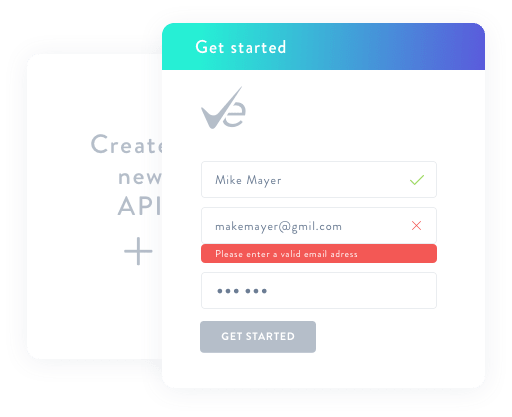
Real-time email input validation
User registrations, checkouts, and online forms are where you can catch bad emails before they pollute your database. Keep your CRM clean and protect your sender reputation effortlessly.
Email List Verify’s API keeps your email list clean. Notify website users about an invalid email address in real-time when they are filling out a form.
Just copy a few lines of code to your website and you are ready to go!
Get started
Implement our robust REST API with SDKs in the language of your choice.
Read the Docs
User registrations, checkouts, and online forms are where you can catch bad emails before they pollute your database. Keep your CRM clean and protect your sender reputation effortlessly.
Most CRMs slowly accumulate bad data. Typos, disposable emails, and invalid addresses get stored during signups, showing up later as hard bounces that damage your deliverability.
Real-time email validation solves this by checking addresses instantly at the point of entry.
Adding validation to your workflows helps you automatically filter out:
In most setups, integration looks like this:
We don't just tell you if an email is valid; we give you the metadata to make smart routing decisions in your code.
{
  "email": "[email protected]",
  "status": "valid",
  "score": 100,
  "disposable": false,
  "role": false,
  "free": false,
  "accept_all": false,
  "did_you_mean": null,
  "mx_record": "mx.example.com"
}
A clean, predictable JSON response for every request.
Integration is simple. Send an HTTP GET request to our endpoint and use the returned JSON result.
We provide ready-to-use examples to help you get started quickly. Choose your preferred language below.
curl -X GET 'https://apps.emaillistverify.com/api/verifyEmail?secret=YOUR_API_KEY&[email protected]'
$email = "[email protected]";
$key = "YOUR_API_KEY";

$url = "https://apps.emaillistverify.com/api/verifyEmail?secret=".$key."&email=".$email;

$ch = curl_init();
curl_setopt($ch, CURLOPT_URL, $url);
curl_setopt($ch, CURLOPT_SSL_VERIFYPEER, false);
curl_setopt($ch, CURLOPT_RETURNTRANSFER, true);
curl_setopt($ch, CURLOPT_FOLLOWLOCATION, true );

$response = curl_exec($ch);
echo $response;
curl_close($ch);
require 'email_list_verify'
api_key = 'YOUR_API_KEY'
client = EmailListVerify.new(api_key)

client.one_by_one('[email protected]')
from emailverify import EmailListVerifyOne

E = EmailListVerifyOne('YOUR_API_KEY', '[email protected]')
result = E.control()
print result
static async Task VerifyOne() {
var apiUrl = "https://apps.emaillistverify.com/api/verifyEmail";
var apiKey = "YOUR_API_KEY";
var email = "[email protected]";
var requestUrl = $"{apiUrl}?secret={apiKey}&email={email}";

var request = WebRequest.Create(requestUrl);
var response = await request.GetResponseAsync();

string emailStatus;
using (var responseStream = response.GetResponseStream()) {
var responseReader = new StreamReader(responseStream);
emailStatus = responseReader.ReadToEnd();
}

Console.WriteLine(emailStatus);
}
Email validation is useful for anyone who sends emails at scale or collects contacts online.
Common users include:
Validation helps prevent invalid or risky addresses from entering your mailing lists.
Yes. You can create a free account and get an API key instantly to test the integration in your development environment and verify your first batch of emails at no cost.